Python installation
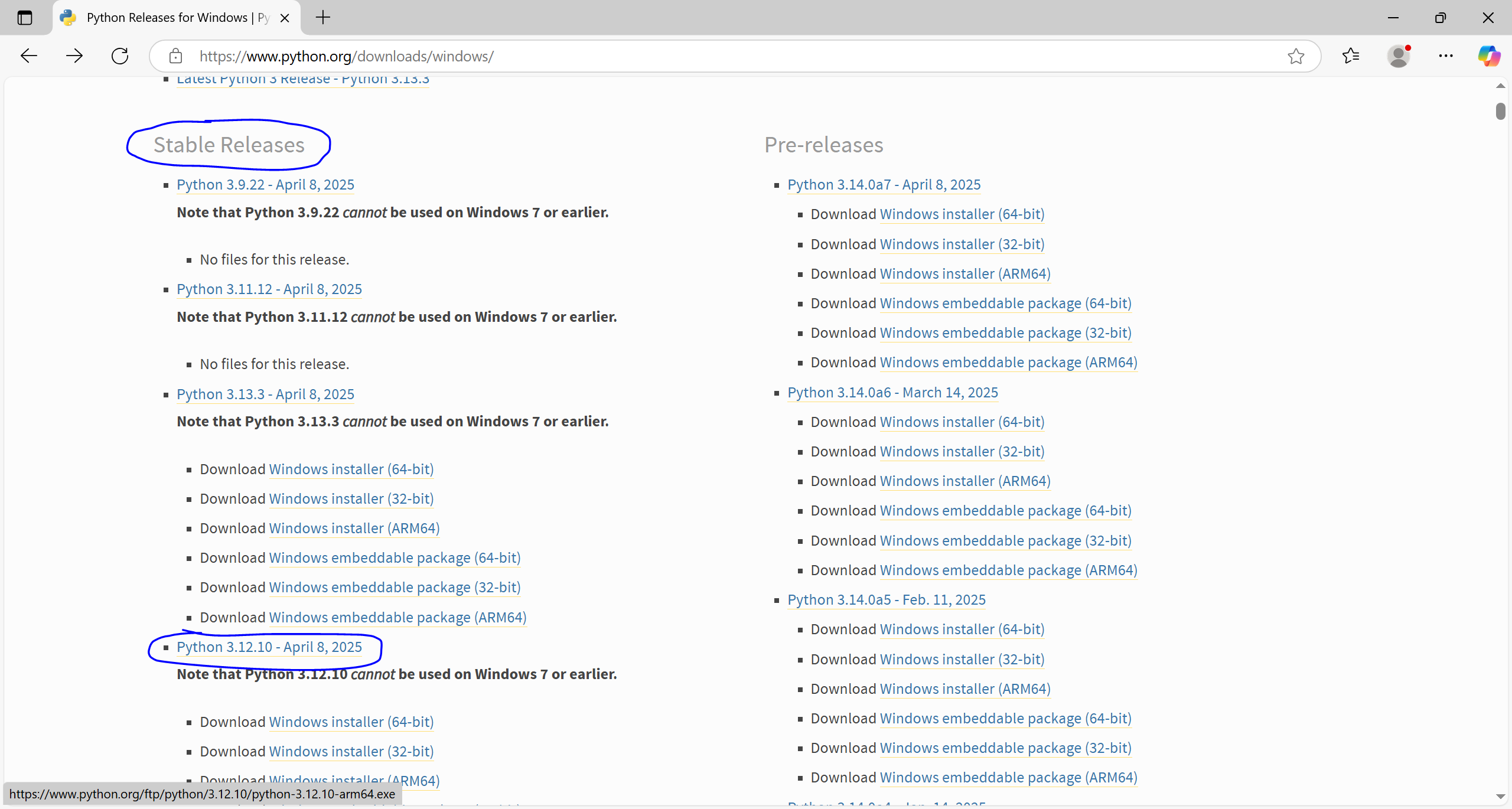
To install Python, go to python.org. Then navigate to the Downloads section and choose the version appropriate for your operating system (usually Windows). Select a stable version of Python, e.g. 3.12.10.
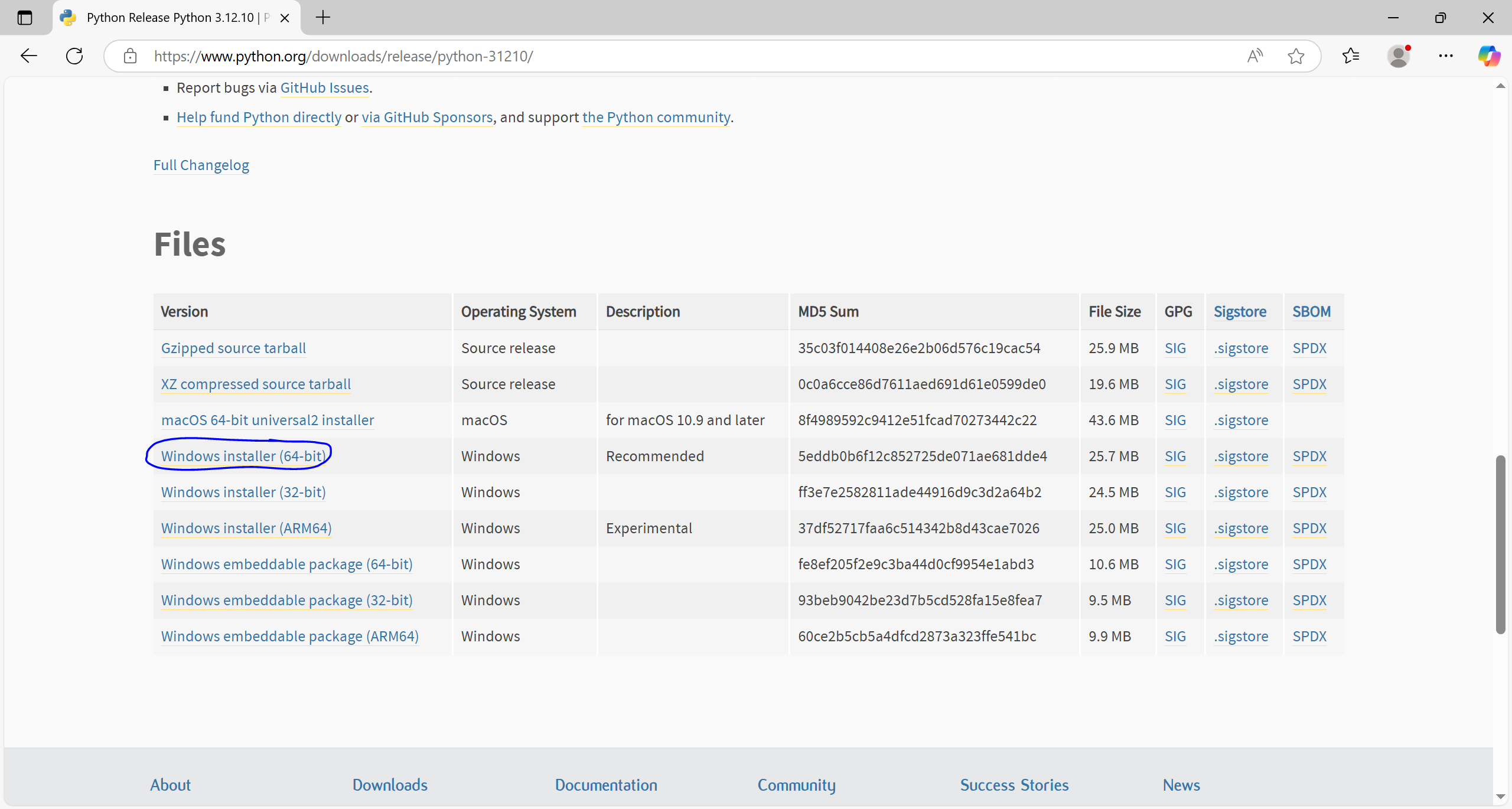
After downloading the installer, run it.
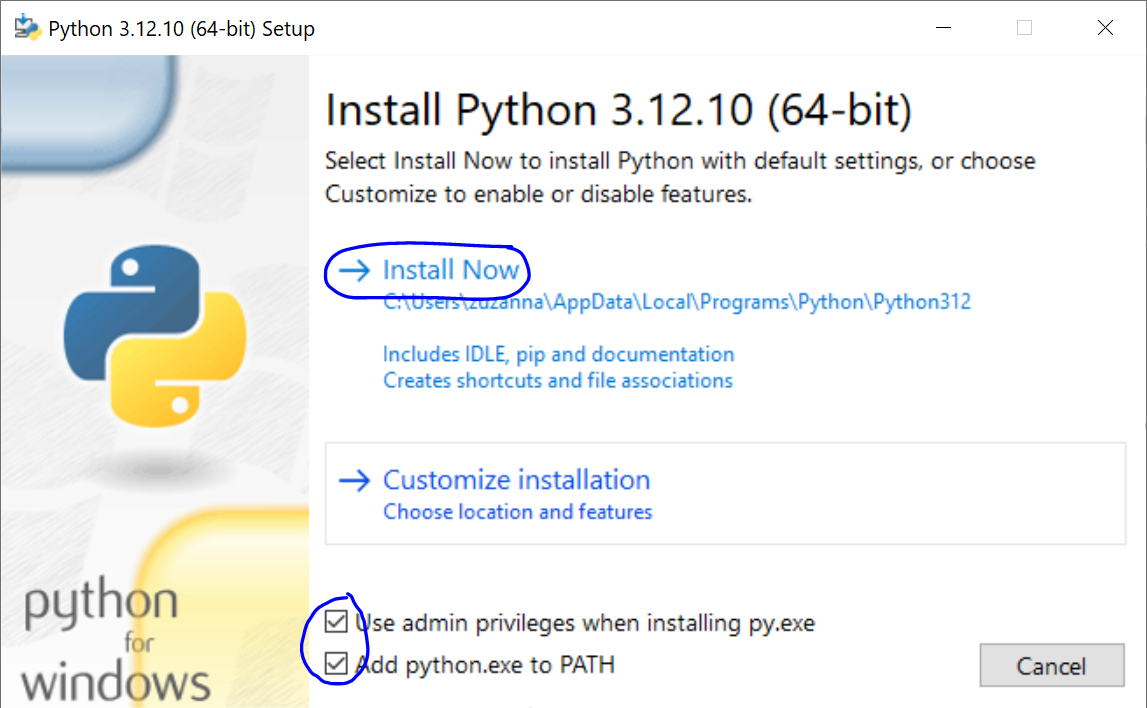
During the installation, check the option Add python.exe to PATH, then click Install Now.
To verify that Python was installed correctly, open Windows PowerShell and type:
python --version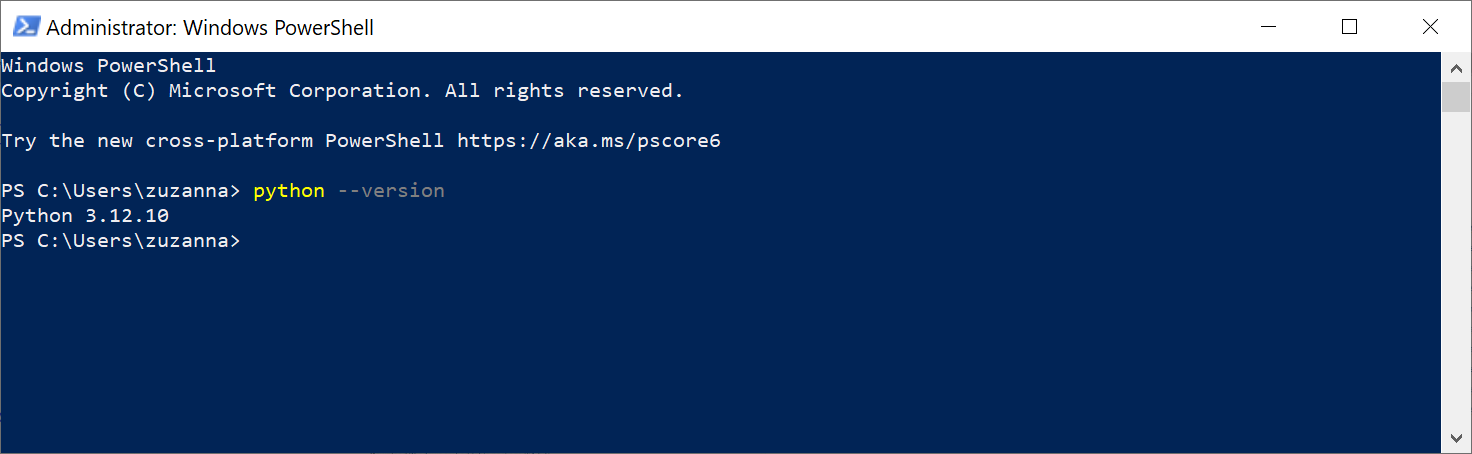
You should see the installed Python version, e.g. 3.12.10.